Cue 1.5.26 is about getting out of your way. The window is quieter, new features show you how they work and set themselves up while they do, choosing a model takes one look, and your words land sooner after you let go of the key.
A sidebar that gets out of the way
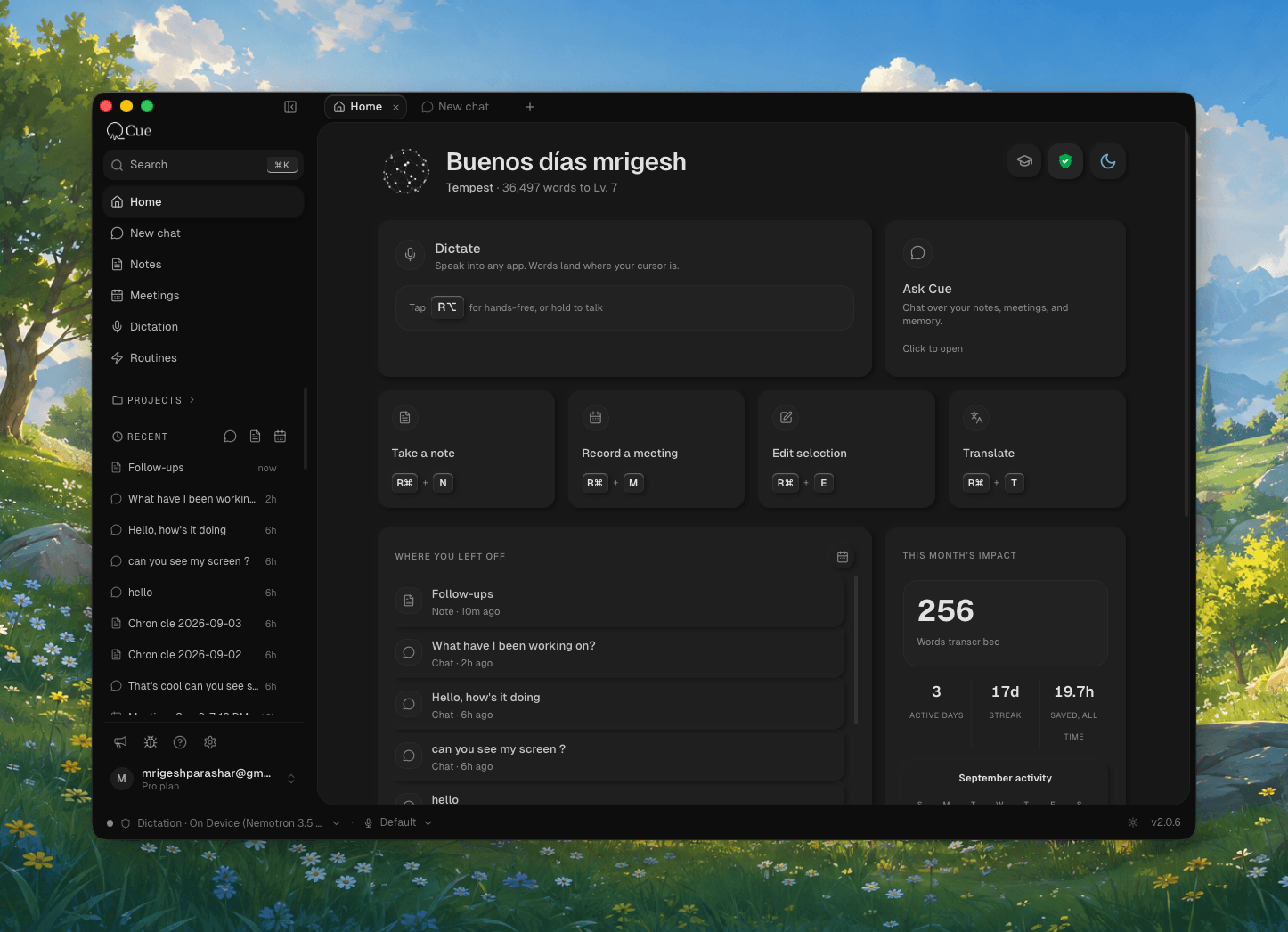
The sidebar is now a thin strip of icons on the left: Home, Chat, Notes, Meetings and Dictation. Rest the pointer on an icon and its list slides out over the page; move away and it goes. Click the toggle, or press ⌘B, to keep a list open. Nothing else opens or closes it, so the page you are reading never jumps.
Rest on a note or a meeting in a list and a small card shows how it begins. A meeting shows its summary, so you can tell calls apart without opening them.
Learn a feature by using it
When there is a feature you have not tried, Cue now says so in a short invite at the top of its page: on Meetings, Notes, Edits and Chat, and now and then on Home. Show me opens a walkthrough, and its buttons do the real thing. On Meetings you allow screen recording and choose how a recording starts. On Chat you pick whether it runs on Cue or on the Claude Code or Codex already on your Mac. Next time hides an invite for three days. The second time, for good.
A model picker that fits
The model list in Chat was taller than some windows and said more than it needed to. Now the top row is tabs for what you actually have: Cue and Your keys always, Claude Code and Codex when they are installed. Thinking is one row with a small slider. Auto is the first choice under Cue, and once picked it lets you lean towards lower cost or higher quality. Every model has one line saying what it is for, a long list shows its first few with More models below, and the picker never grows past the room above the chat box.
Your words land sooner
With Cue Cloud cleaning up your words, the text now lands about 0.9 seconds after you let go of the key on average, down from about 1.4, and without the occasional half-second stall. The sweep you see before the paste is shorter too, 0.7 seconds instead of 1.2, so the paste no longer looks like it is waiting.
Also in this release
- The windows Cue works in behind the scenes stay signed in through a long sleep. They used to lose the connection and fail every Cue Cloud request until Cue restarted.
- One Keep history rule for dictations and screen memory. Cue counts what a change would delete and asks first.
- Big histories feel light: History loads 50 rows at a time, and Home, chats, the notes list and saving a note no longer re-read everything.
- In full screen, Cue's menu bar behaves, and opening Edit inside Cue no longer jumps to another Space.
- A very large request now says it is too big to send, instead of saying you are out of credits, and results from connected apps such as Gmail are capped.
- Everyone invited to a meeting links to their page, and project pickers list every project, not only the newest 50.