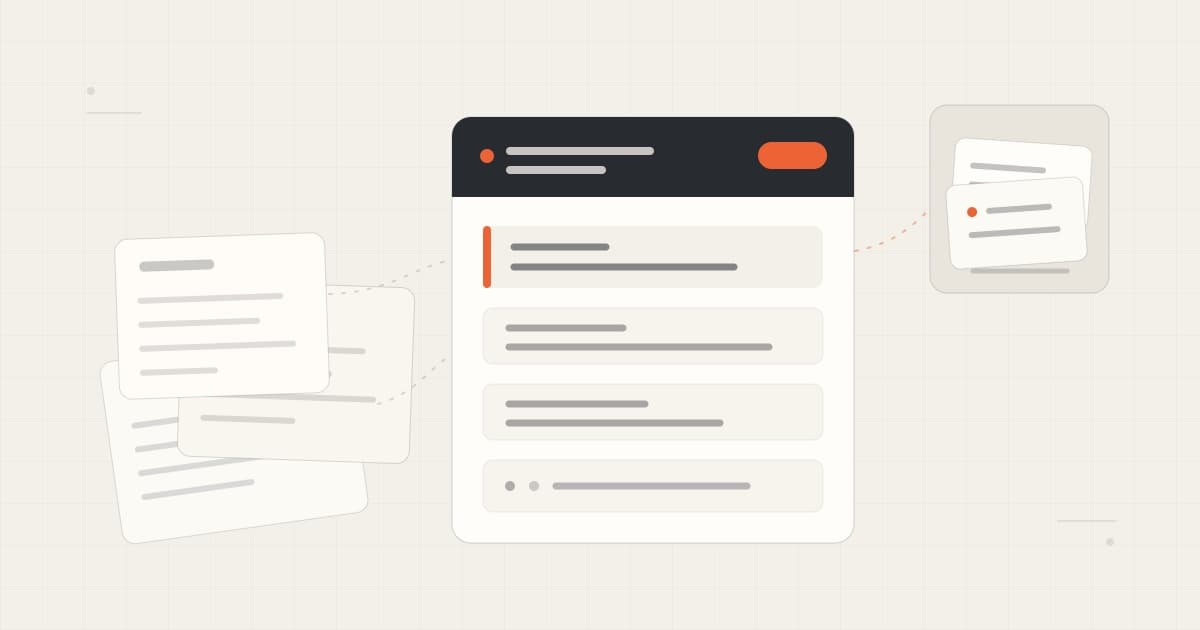
A note does not need a perfect taxonomy to be useful later.
It needs a clear job, a visible current state, and enough source and date information to tell you whether it still deserves to guide the work.
The short answer
Organize notes for retrieval, not for display.
Give each active project one clear home. Inside it, separate current state, decisions, constraints, open questions, and sources. Add a few tags only when they help you filter across projects. Link to supporting notes instead of copying the same facts into several places.
When you ask an AI tool for help, load the smallest relevant note or section. Ask it to show the sources it used and to name missing or conflicting context.
That is enough to start.
| Tool | Useful for | Becomes busywork when |
|---|---|---|
| Clear title | Finding the note by project and subject | Every title carries a long taxonomy |
| Project home | Holding the current state in one place | It becomes a dump of every conversation |
| Headings | Separating decisions, constraints, questions, and sources | Every paragraph gets its own category |
| Tags | Filtering across projects by state or type | You tag every possible topic |
| Links | Connecting a fact to its supporting note | The same fact is copied into every linked note |
| Updated date | Showing when the current state was last checked | The date changes without the content being reviewed |
The goal is not to make the vault look organized. The goal is to make the next useful piece of context easy to find and easy to question.
Use a small system: capture, curate, retrieve
Note organization can become unhelpful in two ways.
One treats every rough thought as permanent knowledge. The other asks you to classify the thought before you have finished thinking it.
Try a smaller loop.
1. Capture without slowing down
Start with the rough note.
Use voice, typing, a meeting transcript, or a pasted passage. Give it a temporary title if you need to. Put it in an Inbox. Do not stop the thought to design its final location.
Capture is allowed to be messy.
2. Curate only what deserves reuse
A note earns more structure when one of these is true:
- It records a decision.
- It changes how a project should proceed.
- You expect to ask about it again.
- Another person or tool will rely on it.
- Forgetting the source would make the note risky.
Move that durable part into the project home. Leave the rest as history or discard it when you no longer need it.
This is the important edit. You are deciding what should guide future work.
3. Retrieve narrowly
Do not begin by giving an AI tool the whole vault.
Start with the project home. Add one supporting meeting, note, or document if the question needs it. If the answer depends on missing context, retrieve more.
Microsoft's current RAG guidance makes the same underlying jobs explicit: label retrieved material, carry title and section metadata, select relevant chunks, include recency for time-sensitive information, and expose missing or conflicting context. That is retrieval guidance, not proof that one folder system is best. Microsoft guidance
Give the project note six clear parts
A useful project note should answer six questions.
1. What is this note for?
Use a title that names the project and the job.
Weak:
Notes 2026-08-30
Better:
Atlas beta launch decisions
The date may still matter. It should not be the only clue.
Add one purpose line:
Use this note for the current launch state, approved decisions, and unresolved launch questions.
That sentence helps a future reader decide whether the note belongs in the current request.
2. What is current?
Put the live state near the top.
Do not make the reader reconstruct it from a long timeline.
## Current state

Five design partners are invited.
Onboarding copy is in review.
The public launch date is not set.
History can stay below or in linked notes. Current state should not compete with three abandoned plans.
3. What has been decided?
Separate decisions from ideas.
## Decisions

- Start with five design partners.
- Keep the first onboarding call manual.
- Do not announce a public launch date yet.
A brainstorm may contain ten possible directions. The decision section should contain only the ones that currently govern the work.
If a decision changes, do not silently make the old source say something new. Add the replacement and mark what it supersedes:
- 2026-08-30: Start with five design partners.
  Supersedes the 2026-08-12 open-waitlist proposal.
The old idea remains understandable. The current instruction remains obvious.
4. What constrains the work?
Constraints are the facts an AI assistant should not have to rediscover.
## Constraints

- Keep onboarding under ten minutes.
- Do not promise a public date.
- Remove customer details from shared examples.
Write constraints so they can be checked. “Make it good” does not help. “Do not promise a public date” does.
Both OpenAI and Anthropic document scoped Markdown guidance for coding agents. OpenAI describes loading project instructions from broad to local scope. Anthropic recommends concise, specific, well-structured project context and periodic review for stale or conflicting rules. These are coding examples, but they show why scope and clarity matter when text becomes active context. OpenAI source · Anthropic source
5. What is still open?
Keep uncertainty visible.
## Open questions

- Who owns the final onboarding review?
- What evidence would justify widening the beta?
- Which feedback belongs in the next release?
An unanswered question is better than an invented answer.
This section also gives the next AI request a useful boundary. Ask for options or missing evidence instead of asking the model to treat an unresolved issue as settled.
6. Where did this come from, and when was it checked?
Add the source and updated date near the facts they qualify.
## Sources

- Product review, 2026-08-29
- Design-partner calls, 2026-08-25 to 2026-08-28
- [[Atlas onboarding checklist]]

Updated: 2026-08-30
A source link makes a claim checkable. It does not make the claim true. A date makes freshness visible. It does not keep the note current by itself.
Ordinary Markdown is enough for this structure: headings, lists, links, and readable text are part of the CommonMark format. The format does not supply retrieval, accuracy, or maintenance automatically. CommonMark specification
A concrete workflow
Imagine you have four rough notes about a fictional project called Atlas:
- A launch brainstorm
- A call transcript
- A checklist
- A note that says “Maybe open the waitlist next week”
Do not ask an AI tool to read all four and decide what the project believes.
Create one project home:
# Atlas beta launch

Use this note for the current launch state, decisions, constraints,
and unresolved questions.

## Current state
- Five design partners are invited.
- Onboarding copy is in review.
- No public launch date is set.

## Decisions
- Start with five design partners.
- Keep the first onboarding call manual.
- Do not announce a public date yet.

## Constraints
- Keep onboarding under ten minutes.
- Remove customer details from shared examples.

## Open questions
- Who owns the final onboarding review?
- What evidence would justify widening the beta?

## Sources
- [[Atlas product review - 2026-08-29]]
- [[Atlas onboarding checklist]]
- [[Design partner call notes - August]]

## Related
- [[Atlas feedback themes]]
- [[Atlas release checklist]]

Updated: 2026-08-30
The double brackets in this example represent links between notes. If your editor does not support them, use ordinary Markdown links instead.
The project home does not replace the supporting notes. It tells you which parts are current and where to inspect the evidence.
Now ask the AI tool a bounded question:
Use only “Atlas beta launch” and “Atlas onboarding checklist.” Summarize what is ready, what is blocked, and what still needs an owner. Cite the note behind each answer. If the notes conflict or do not answer something, say so.
That prompt is useful because the organization work happened before the model started writing.
After you review the answer, update the project home only if the project changed. Do not change the date merely because the file was opened.
Where Cue fits
Cue Dictation can capture a rough thought in the Mac app where you are already working.
Cue Notes keeps notes as local Markdown files. Use a project note to hold the current state, then link to the supporting notes you want to keep.
Cue Agent lets you ask across saved notes and meetings, inspect visible sources, and review proposed note changes. Check that the answer uses the notes you intended and preserves any uncertainty.
Cue MCP is an optional, permissioned connection for compatible external agents. It does not organize the vault for you, and it is not required for ordinary note search.
Automatic organization is not the promise of this article. The useful current workflow is manual and small: capture the thought, curate what should remain current, select the relevant context, and review what comes back.
Limits and when this is not enough
No note structure fixes stale information by itself.
A clean project home can still repeat an old decision. A tag can be wrong. A source can move. Search can miss the right note. Two notes can disagree.
The system also has to fit the consequence.
A private personal project may need only a title and current-state section. A client commitment may need a dated source, owner, and direct review. Legal, medical, financial, compliance, and research work may require formal records that a lightweight Markdown note cannot replace.
Do not expose an entire notes folder merely because it is organized. Choose the notes a tool needs for the current task. Keep sensitive notes out of the context path when they are not required.
And do not maintain metadata nobody uses. If a tag never helps you filter, remove it. If a field is always blank, stop adding it. Organization should make retrieval and review easier, not become the work.
Frequently asked questions
Should I use folders or tags?
Use a shallow project or subject home for primary context. Use tags for cross-cutting filters such as meeting, decision, or needs-review. Avoid forcing every idea into a deep hierarchy.
Should I keep one big project note or many small notes?
Keep one project home for the current state. Link to smaller source or working notes when their detail matters. A giant note becomes difficult to scan; hundreds of tiny notes can hide which one is authoritative.
Does every note need frontmatter?
No. A title, clear headings, source, and updated date can be enough. Add structured metadata only when your tools use it.
Can AI organize the notes automatically?
It can propose titles, tags, links, or summaries. Review the proposal before it changes the source of truth. Automatic organization, freshness, and de-duplication are not guaranteed.
How often should I review a project note?
Review it when a decision changes, before a consequential reuse, or when a source becomes stale. A fixed schedule may help for active projects, but the right trigger is change and consequence.
Does better structure make AI answers accurate?
No. It can make relevant context easier to find and inspect. The answer can still misunderstand the note, use an old source, or miss a conflict.
Can Cue read every note automatically?
Cue can search and use chosen context in its current Notes and Agent surfaces. Private notes and permission boundaries matter. Select the smallest relevant set and inspect the sources behind the answer.
Sources
Accessed October 3, 2026.
- CommonMark specification
- Microsoft RAG context guidance
- OpenAI AGENTS.md guidance
- Anthropic project memory guidance
- Cue Notes
- Cue Agent
- Cue MCP
Try it with one project
For the broader idea behind keeping your context portable, read Rent your intelligence. Own your context.. For a tool-specific handoff, see working memory for Claude, Cursor, and Codex.
Download Cue for Mac and take one active project note. Add a clear title, purpose, current state, decisions, constraints, open questions, sources, and updated date.
Then ask Cue or another chosen agent to use only that note and one supporting source. If the answer cannot show where it came from, do not promote it back into the project home.