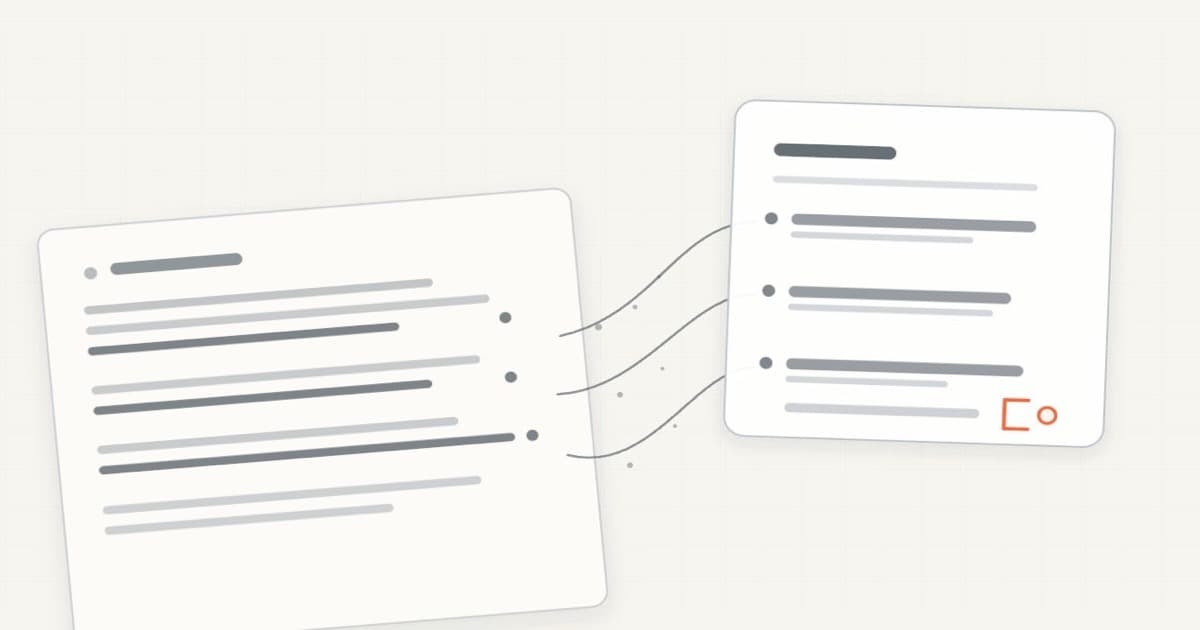
An AI note is easy to trust when it sounds clean. That is exactly when the source matters.
Keep a path back to the recording, transcript, note, meeting, or document that informed it. Then label what the AI changed and review the details that could change a decision.
The short answer
A useful AI note should preserve four things:
- Source: what material the note came from and how to reopen it.
- Transformation: whether the text was transcribed, summarized, rewritten, combined, or inferred.
- Claim type: what is a quote, summary, interpretation, or proposal.
- Review: who checked the important details and when.
A source link does not make the note true. It makes the note checkable.
| When the note will be used for | Keep at least |
|---|---|
| Personal scratch work | Source title and date |
| A project update | Source title, date, and relevant passage |
| A decision or commitment | Exact passage or timestamp plus a human review |
| A quote | Exact wording and source location |
| A high-stakes external claim | Original source, qualified reviewer, and the workflow your field requires |
What a source link proves
A source link answers one useful question: Where should I look?
It does not answer:
- Did the transcript hear the words correctly?
- Did the summary preserve the meaning?
- Does the cited passage support this sentence?
- Is the source itself accurate?
- Has the decision changed since the source was created?
That distinction matters because an AI note can mix several kinds of writing without making the boundaries obvious.
A sentence may be a direct quote. The next may compress three paragraphs into one. The third may be the model's interpretation. The fourth may propose an action nobody agreed to.
If all four look the same, the note is easy to read and hard to audit.
The useful standard is not “every sentence has a citation.” It is “the reader can tell where consequential statements came from and can reopen the relevant evidence.”
Keep a four-part source record
You do not need a formal provenance system for every project note. A small record is enough for ordinary work.
1. Name the source
Record the thing that informed the note.
That may be:
- A meeting and date
- A recording and timestamp
- A transcript section
- A note or Markdown file
- A document and heading
- A web page and access date
- Several sources, listed separately
Prefer the most specific location that remains usable. “Weekly product sync, August 27, 12:14” is easier to check than “from a meeting.”
When a tool supports it, link to the exact passage or moment. Apple Voice Memos, for example, can show transcript text beside the recording and move the playhead when you select a transcript term on Apple silicon Macs running macOS 15 or later, where transcription is available. Apple’s Voice Memos guide
When exact links are unavailable, keep a stable filename, title, date, and a short quoted excerpt.
2. Name the transformation
Write down what happened between the source and the note.
Use plain labels:
- Transcribed: speech became text.
- Cleaned: filler or formatting changed.
- Summarized: the source became shorter.
- Combined: several sources were brought together.
- Inferred: the note adds an interpretation.
- Proposed: the note suggests a next step.
This is more useful than a vague label such as “AI-assisted.” It tells the next reader what kind of change to expect.
A transcript is not untouched truth. It is already a representation of audio. A summary adds another transformation. Each step can introduce a different mistake.
3. Separate claim types
Do not let a fluent paragraph hide the difference between evidence and judgment.
A compact note can use four labels:
Source says
Summary
Interpretation
Proposed next step
You will not need all four every time.
The point is to keep an interpretation from quietly becoming a fact, or a suggestion from quietly becoming a commitment.
Use quotation marks only for exact words you checked. If the wording is compressed, call it a summary.
If the source is silent, say so.
“Owner: unassigned” is better than assigning the person who spoke most confidently.
4. Review by consequence
Check the details that matter for the next use.
Names, dates, numbers, prices, quotations, decisions, owners, deadlines, links, and technical terms deserve direct comparison with the source.
The review can be light for a private scratch note. It should be stronger before you send a client update, change a roadmap, assign work, publish a claim, or feed the note into another agent.
Add a small review line:
Reviewed against Weekly product sync transcript, August 27, 2026.
That line does not certify perfection. It records that someone looked.
A concrete workflow
Imagine a fictional product meeting ends with this exchange:
The beta can open after the onboarding copy is reviewed. Friday is possible, but nobody assigns an owner for the final check.
A weak generated note might say:
The team approved a Friday beta launch. Maya will review onboarding.
It sounds decisive. It also invents two facts.
A source-tied note would look more like this:
Beta opening depends on onboarding review
Source: Weekly product sync · August 27 · 12:14–12:51
Transformation: Transcript summarized into a project note.
Summary: The beta can open after the onboarding copy is reviewed.
Unresolved: The launch date is tentative. The final reviewer is unassigned.
Proposed next step: Choose an owner and confirm the date after review.
Reviewed: Checked against the transcript at 12:14.
This note is less confident and more useful. It preserves the condition, keeps the missing owner visible, and separates the proposed action from the recorded decision.
If the meeting later assigns an owner, update the note with the newer source. Do not silently make the old meeting say something it did not say.
Where Cue fits
Cue Dictation can capture a thought in the Mac app where you are already working. Capture is only the first step.
Cue Notes keeps notes as local Markdown and lets you choose note and meeting context for a conversation. Its current public workflow keeps selected sources visible beside the generated result.
Cue Agent is built around asking across saved work, inspecting the notes or meetings behind an answer, and reviewing a proposed note change before it is applied.
Cue MCP is a separate, permissioned way to make chosen Cue context available to compatible agents. It does not make every answer correct, and it does not remove the need to review the source.
If you only need basic voice input, start with the free voice-to-text guide for Mac. You do not need an agent workflow for every note.
Limits and when this is not enough
A traceable note can still be wrong.
The recording may be incomplete. The transcript may mishear a name. The source may contain an outdated plan. The summary may cite a real passage but draw the wrong conclusion.
Links can also break when files move or permissions change. If a source matters, keep a stable identifier or enough context to find it again.
For legal, medical, financial, compliance, or research work, use the review and recordkeeping rules required by that field. A small Markdown template is not a substitute for a formal evidence or audit system.
Do not burden every temporary thought with heavy metadata. Match the source record to the consequence.
And if your current notes tool already keeps generated text beside the original recording or document, use that. The workflow matters more than the app.
Frequently asked questions
Is a citation the same as proof?
No. A citation points to a source. You still need to check whether the relevant passage supports the claim.
Should I keep the original audio?
Keep it when exact wording, tone, or an audit trail matters. For low-stakes notes, a verified transcript and stable source record may be enough. Retention also depends on consent, policy, storage, and privacy requirements.
Is the transcript the original source?
The recording is the source for spoken words. The transcript is a searchable representation of it and may contain recognition errors. If the exact wording matters, check the audio.
How should I label AI-written text?
Name the transformation: transcribed, cleaned, summarized, combined, inferred, or proposed. “AI-assisted” is often too vague to help the next reader.
Do I need a source for my own observation?
For private scratch work, a date and context may be enough. Add stronger source detail when the note will inform someone else, support a decision, or be reused by an agent.
Can Cue verify every generated note automatically?
No. Cue can keep selected sources visible and help you return to notes and meetings. Retrieval and generated text still need human review, especially when the consequence is meaningful.
Sources
Accessed October 3, 2026.
- W3C: PROV Overview
- OpenAI: Does ChatGPT tell the truth?
- Apple: View a Voice Memos transcription on Mac
- Kambhamettu, Flores, and Head: Traceable Text
- Cue Notes
- Cue Agent
- Cue MCP
Try it with one note
For a reusable project structure, see how to organize notes for later AI use. For the file format behind it, see why Markdown is useful memory for AI work.
Download Cue for Mac and try one low-stakes project note. Choose the source yourself, ask for a short summary, open the cited note or meeting, and correct anything that does not match before you keep it.